Track Working Time for Free Directly in Your Browser
Track working time and breaks without registration. TYPELOG Free Worktimer focuses on practical time tracking for a single working day.
Track Your Working Time Without Making It a Project of Its Own
If you want to record your actual working time, you do not necessarily need comprehensive time tracking software. Press Start, work, record your breaks and then continue working. At the end of the working day, finish the session and print your daily report.
What Can TYPELOG Free Worktimer Do?
During the working day, a report of your individual work sessions and breaks is created automatically.
- Start working time: Press Start to begin time tracking or continue after a break.
- Record breaks: The start and end of each break are recorded.
- Finish the working day: Press End to complete the current working day.
- Set a daily target: Your personal daily target can be set in hours, minutes and seconds.
- Track your progress: A progress ring shows how much of your daily target you have completed.
- Use the target alert: When you reach your daily target, you receive a visual notification and an audible signal.
- Print the daily report: Once the working day is complete, the report can be printed using your browser’s print dialog.
Time Tracking in the Office, at Home, in the Workshop or on Site
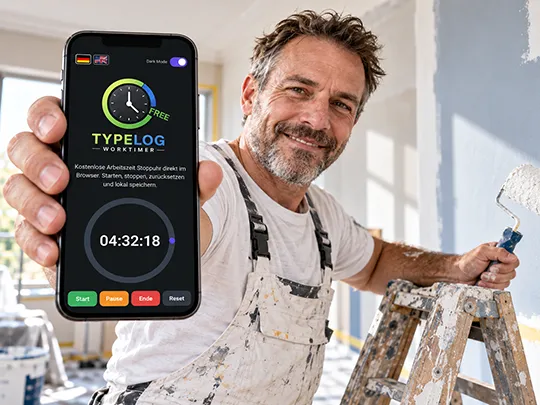
Freelancers and self-employed professionals can track their working time at their desk, tradespeople can record their working day on a construction site or in the workshop, and mobile professionals can track their time while working at a client’s premises. When working from home, the timer also makes it easier to keep working periods and breaks clearly separated.
Your Working Time Stays in Your Browser
Working time, work sessions, breaks, your daily target and the current status are stored locally in your browser. This work data is not transferred to TYPELOG for the actual time tracking process. If you close the browser page while working time is running, the Worktimer takes the elapsed time into account when you open it again. An active break also remains in progress until you continue working or finish the working day.
Review Your Working Time and Breaks at the End of the Day
The daily report shows work sessions and breaks with their respective start time, end time and duration. Total working time and total break time are also calculated. After you finish the working day, the End button automatically becomes the Print button. The report can then be printed using your browser’s print dialog. Depending on your operating system, you can also save it as a PDF.
Important: The Free version does not maintain a permanent daily history. Resetting the timer deletes the current daily report.
One Working Day or Long-Term Time Tracking?
The Free version is designed for straightforward tracking of the current working day. If you also want to manage clients, projects and activities, analyse working time over longer periods or export data, these functions are available in the full TYPELOG Worktimer version.
FAQ About Free Time Tracking
Is TYPELOG Free Worktimer Really Free?
Yes. TYPELOG Free Worktimer can be used free of charge. No registration is required.
Where Is My Working Time Stored?
Your work data is stored locally in the browser you are using and is not transferred to TYPELOG for time tracking.
What Happens If I Close My Browser?
If working time is running, it continues when you reopen the Worktimer, taking the elapsed time into account.
Can I Record Breaks?
Yes. Breaks are recorded with their start time, end time and duration and are shown separately from working time.
Can I Set a Daily Working Time Target?
Yes. The daily target can be set in hours, minutes and seconds. A progress ring shows how much of the target you have completed.
Will I Be Notified When I Reach My Daily Target?
Yes. When you reach the target time, a visual notification appears and an audible signal is played. You can test the sound beforehand.
Can I Print My Working Time?
Yes. After finishing the working day, you can print the daily report using the browser’s print dialog. Depending on your operating system, you can also save it as a PDF.
Can I Permanently Store Several Days?
No. A permanent daily history and monthly or annual reports are available in the full version.
Can I Manage Clients and Projects?
No. Client, project and activity management are available in the full TYPELOG Worktimer version.
Is There an Excel Export?
No. Excel and other export functions are available in the full version.
Does Free Worktimer Work on a Smartphone?
Yes. The interface is responsive and designed for desktop computers and smartphones.
Track Your Working Time Without Registration
Press Start, work, record your breaks and print your daily report at the end of the working day.