Synchronize your work status between devices via backup
 TYPELOG Worktimer lets you switch between PC, laptop and smartphone without automatic cloud synchronization. Instead, you transfer your current work status yourself using a backup and retain full control over your data. Create a backup, restore it on the next device and continue working with exactly the same data: This makes your daily backup both a data backup and a way to manually synchronize your work status between devices.
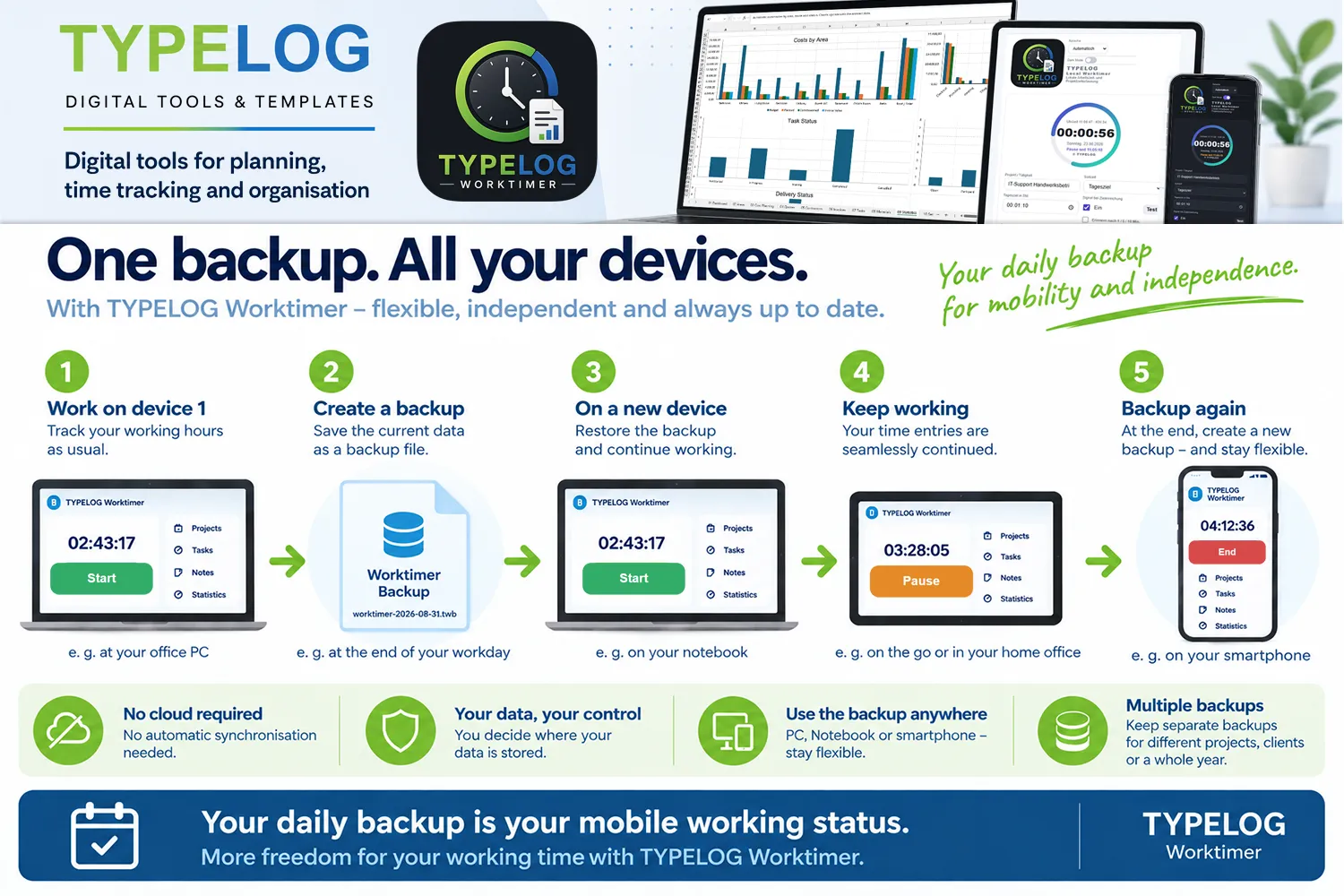
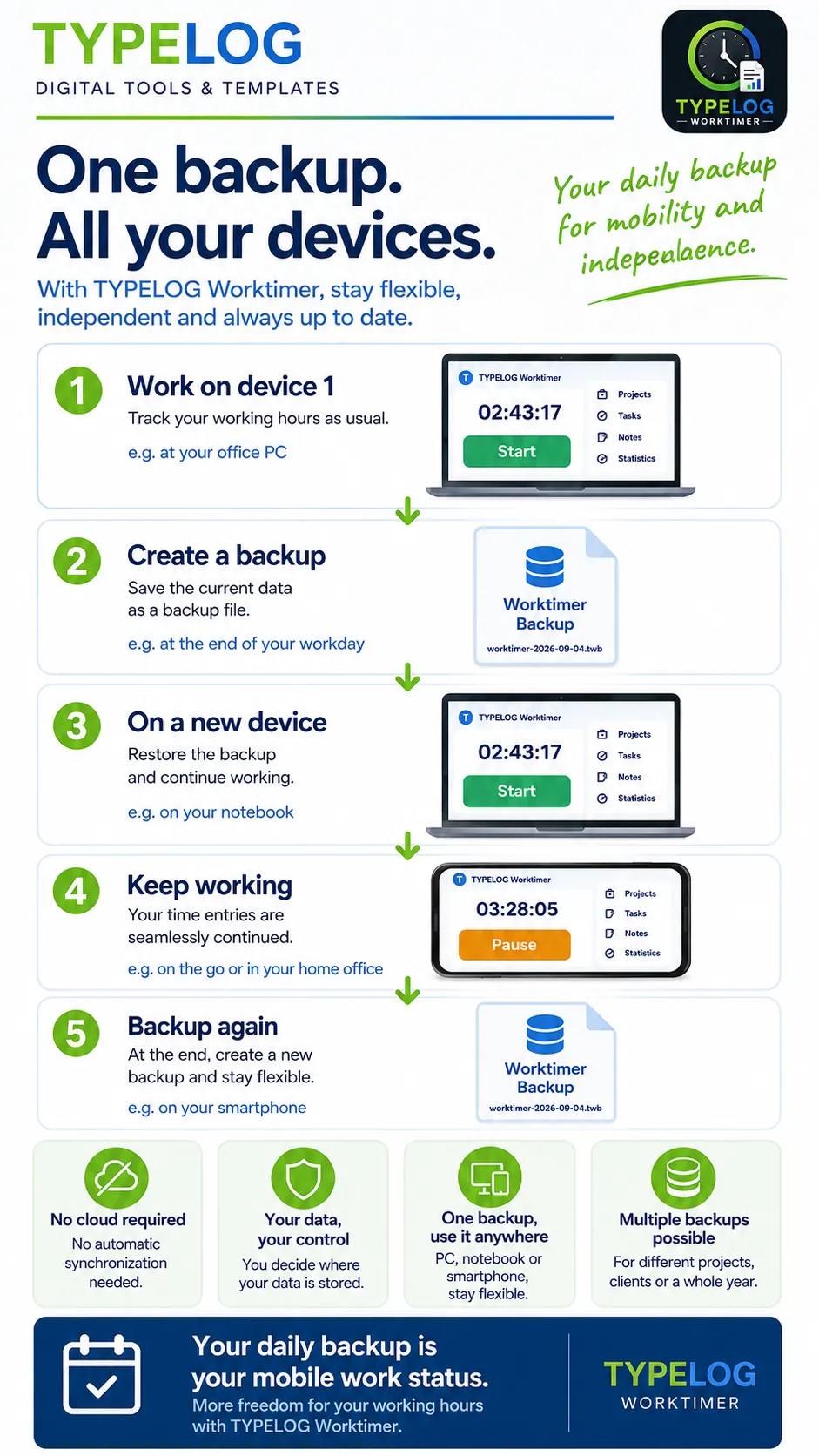
Infographic: One backup. All your devices.
The infographic shows step by step how to transfer your current TYPELOG Worktimer data from one device to another using a backup and continue working there.
How to move your current work status to the next device
1. Work on your current device
Track your working hours as usual with TYPELOG Worktimer. Projects, activities, breaks, notes and other stored data make up your current work status.
2. Create an up-to-date backup
At the end of your working day or immediately before switching devices, create a new backup. It contains the current TYPELOG Worktimer data.
3. Restore the backup on the next device
Restore the most recent backup on the next device. This transfers your current work status so you can continue working immediately.
4. Continue tracking your working hours seamlessly
After restoring the backup, your existing work data is available on the new device. You continue tracking your hours using this data.
5. Create another backup when you finish
After your next work session, create another up-to-date backup. This becomes the new starting point for the next working day or device change.
Your latest backup is your mobile work status
TYPELOG Worktimer deliberately does not use automatic cloud synchronization. Instead, you decide when your current work status is transferred to another device. The principle is simple: Create an up-to-date backup on the device you last used. Restore it on the next device and continue working with exactly the same data. By following this principle consistently, you can maintain your work data across different devices, over several months or even an entire year. If required, separate backup files can also be maintained independently for different clients, projects or areas of work.
Your latest backup is your mobile work status.
TYPELOG WorktimerSwitch devices. Restore your backup. Keep working.
Synchronize work data via backup between PC, laptop and smartphone without automatic cloud synchronization.